
Guide
How it works
Private leagues pick Start.gg events, then each team fills a roster once seeding is published. Commissioners set the season up. Everyone else locks in picks and chases the standings.
Commissioner
Create a league and pick events
If you start the league, you run it. Members never see Settings or Add event.

- Create a league. Open Create league, name the league, and name your team. You become commissioner. Size starts at 12 teams and can change later.
- Invite the group. Copy the invite link from Settings or from My leagues. Anyone with the link names a team and joins until the league is full.
- Optional: edit roster templates. New leagues start with one template per event type: double elimination, single elimination, Swiss + Top 8, and Ladder + Top 8. Swiss defaults include Consecutive wins and Cut Maker. Ladder defaults include Consecutive wins and Busy Bee. Underdog is available on every event type, but it is not on those Swiss or Ladder defaults — add it from Settings if you want the extra risk. The template you choose when adding an event is copied onto that event and locked. Later edits do not rewrite existing event rosters.
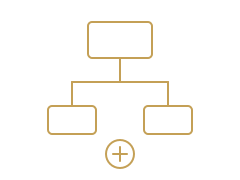
- Add a tournament event. From the league dashboard, choose Add event. Browse upcoming Start.gg tournaments or search by name, then open one and tap Add to league on the game you want. If the event type is unclear or you have extra templates, pick which roster template to lock onto that event.
- Rosters open for every team. Adding an event enrolls it in this league. Each team gets a roster the first time they save picks for that event. You can add more events across the season. Overall standings only count completed events.
Players
Join, wait for seeding, lock in picks
You do not search for tournaments. The commissioner adds events. You fill your roster when seeds drop.
- Join with an invite. Open the link your commissioner sent. Create an account if you need one, then name your team.
- Wait for seeding. Rosters stay locked until Start.gg publishes seeds for that event. Home shows Picks needed once you can assign players.
- Fill every slot. Open the event from your league dashboard or from Picks needed. Assign a player to each slot, including Ace and any Flex slots. You can remove and reassign until you are happy with the lineup.
- Watch the board. Event standings score that tournament only. The league dashboard totals completed events. Live events are not in the overall total yet.
Scoring
Standard score
Every pick starts with the same base score: 2 points per set win, plus placement. The slot type then multiplies that score or adds a bonus.
- 1st 25 · 2nd 18 · 3rd 15 · 4th 12
- 5th–6th 8 · 7th–8th 6 · 9th–16th 4 · 17th–32nd 2
Scoring
Roster slots
Each event type has its own mix of slots. Switch the tab to see what is available. Commissioners can add or remove slots when they edit a template.
Front Runner adds points for winners-bracket set wins. Losers runner does the same in losers. Underdog is on the default template.
Ace
Anyone. 1.5× the player's standard score.
Front Runner
Anyone. Extra points for each winners-bracket set win (double elimination).
Losers runner
Anyone. Extra points for each losers-bracket set win (double elimination).
Underdog
Bottom 50% of the seeded field. 2× the player's standard score.
Flex
Anyone. Standard set-win and placement scoring.